Find the matching zone
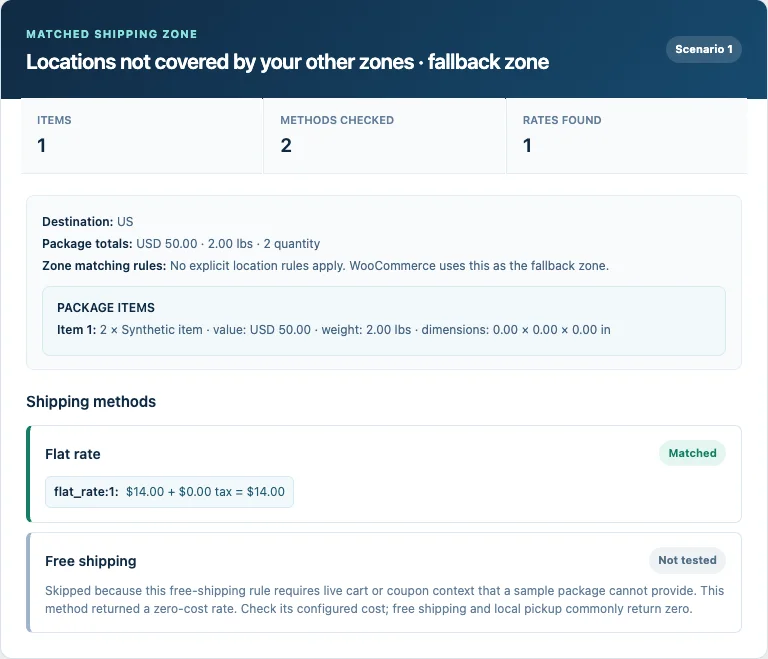
Enter a country, state, postcode, and city. See which shipping zone WooCommerce selects and the location rules behind it.
Check which zone and local rates match a sample package. Find out why a method isn't returning a rate, without changing your shipping settings.
AP Shipping Rules Tester is awaiting WordPress.org review. Source code is available now; the directory install link will follow approval.
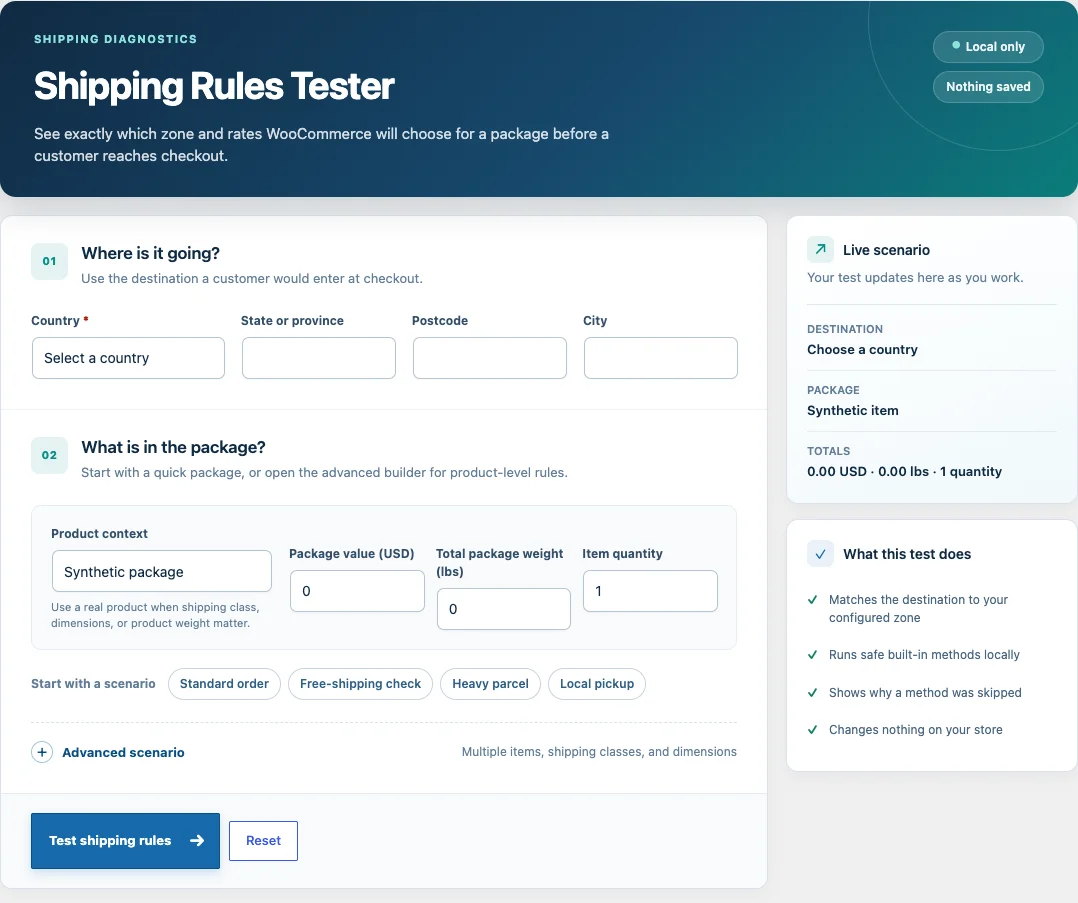
Use the address details a customer would enter. Change the postcode or state to investigate zone boundaries.
Enter a value, weight, and quantity, select a saved product, or open the advanced builder for multiple items.
Choose Test shipping rules. Review the matched zone and method results, then keep the result to compare another scenario.
Enter a country, state, postcode, and city. See which shipping zone WooCommerce selects and the location rules behind it.
Calculate built-in flat rate, free shipping, and local pickup where sample-package data is enough. See explanations for disabled, no-rate, or skipped methods.
Read a saved product’s price, weight, dimensions, shipping class, and tax class without editing the product.
Add multiple synthetic items or saved products with per-item quantities. Include shipping classes and dimensions for more detailed checks.
Choose a standard order, free-shipping check, heavy parcel, or local pickup preset. Adjust the destination and package to fit your store.
Keep a result and run another test with a different destination or package. Comparisons stay in the current browser tab, with nothing saved to your database.
A missing rate doesn't always mean a broken rule. Some methods need information a sample package can't provide.
Local checks only. External carrier rates, coupons, customer roles, subscriptions, and live-cart behavior need a separate checkout test.
You'll need WordPress 6.6+, PHP 7.4+, and an active WooCommerce installation. The tester works with HPOS and uses your store's currency and weight unit.
While directory review is pending, use the source repository's installation instructions for a manual setup.
Read the installation instructions on GitHubwp-content/plugins/, following the repository instructions.The plugin has been submitted for review. A WordPress.org install link will be added here after approval. You can view the source and installation instructions on GitHub now.
No. The tester reads your current configuration and calculates a sample result. It does not change shipping settings, products, orders, or customers. Test inputs and results are not saved.
The tester supports built-in flat rate, free shipping, and local pickup when they can be calculated from a sample package. Methods that need live cart data or an external provider are marked as skipped, with an explanation.
No. External shipping providers are never called. Test carrier rates and integrations separately at your store checkout.
Yes. Select a saved product to use its price, weight, dimensions, shipping class, and tax class. You can also build a multi-item package. Choose Keep result and test another to compare scenarios in the current browser tab. Comparisons clear when you leave the page or choose Clear comparison.
No. Sample packages don't include coupons, customer roles, subscriptions, or live-cart state. Use the tester to investigate local shipping rules, then check the full customer journey at checkout.
WordPress 6.6 or later, PHP 7.4 or later, and an active WooCommerce installation. It works with HPOS because it does not depend on order storage. Package values use your store currency and weights use your configured weight unit.
Read the source and try a local check. If a result needs explaining, tell us which method and package you're testing.